















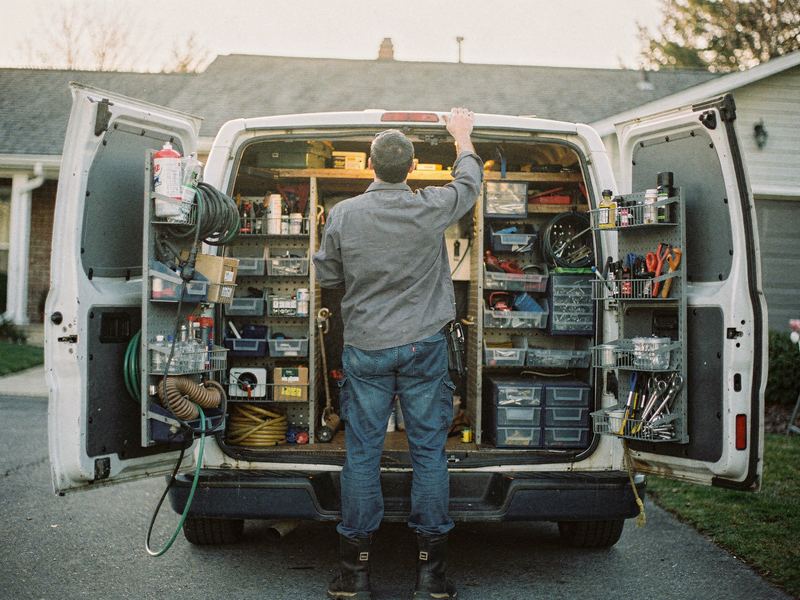
A new service business launching from zero
An example playbook for a new one-truck service business with no website, no reviews and no Google profile yet, getting found and booking first jobs.
The plan at a glance
The situation
This is an example, not a customer story. Say you've spent years as a technician for a larger company, and you've just started your own business. It could be plumbing, HVAC, electrical, cleaning or any other trade. You have one truck, the skills and a few people who already trust you. What you don't have is any presence online: no website, no Google profile, no reviews.
Friends, family and a couple of past customers will hire you first. After that you need strangers, and strangers search on Google. Right now, when someone nearby searches for what you do, they find the companies you used to compete with, not you.
The temptation is to spend money fast: buy leads from a marketplace, run ads, pay for a flashy website. But without a profile, reviews and a way to answer the phone while you work, much of that spending is wasted. You're also doing everything yourself. You're on the job all day and doing paperwork at night.
What's getting in the way
- No track record. No reviews and no history online make it hard for a stranger to choose you.
- Setting up Google takes time. A new Google profile has to be verified, and running a service business from home means choices like hiding your address.
- A tight budget. Every dollar has to count, and it's hard to know what's worth paying for.
- One pair of hands. You can't answer calls while you're under a sink or on a roof.
- Unsure prices. What your old employer charged may not cover your own costs.
- Paid leads that look easy. Marketplaces promise work now, but you're renting customers rather than building your own. See lead marketplaces vs your own website.
The plan
Week 1: Get the foundations right
- You handle the business basics Zome can't: registration, licensing, insurance, a business bank account and a conversation with an accountant. If you signed an agreement with a past employer, check what it says about working in the same area.
- You choose one business name, one phone number and one email address, and use them everywhere from day one. Zome checks whether the name is confusingly close to another local business on Google.
- Zome sets up your Google Business Profile as a service-area business, with the right categories, each service you offer and hours you can really answer. Verification starts now because it can take a while.
- Missed-call text back goes live on your number, so a call you can't take mid-job gets an instant, friendly reply.
- You gather what builds trust: license numbers, proof of insurance, photos of your truck and tools, and photos of past work you have the right to use.
Weeks 2 to 4: Look real and start collecting reviews
- Zome builds a simple website: a home page, a page for each core service, a service area page, an about page with your story and credentials, and an easy way to call or request a visit.
- Listings go up on the major directories customers use, such as Apple Maps, Bing, Yelp and Facebook, with exactly the same name and phone number everywhere.
- You tell your network you're open. From the very first job, every customer gets a review request with the same neutral wording. Only people who actually hired you should be asked.
- You take photos on every job, and Zome adds them to your Google profile and website.
Months 2 and 3: Build steadily
- Zome adds pages for the towns you most want to work in, each with real local detail rather than copies with the town name swapped.
- Your Google profile gets regular posts and fresh job photos, so it looks active and cared for.
- You keep a simple customer list, with permission, so you can send reminders later.
- Once your profile is verified, your site is live and missed calls are handled, you and Zome look at paid options like Local Services Ads or Google Ads, starting small. See Local Services Ads vs Google Ads.
- You run the free AI report each month to see how you compare with nearby competitors.
What Zome does and what you do
| Task | Zome | You |
|---|---|---|
| Business setup | Nothing here; this part is yours | Register, license, insure, open a bank account and talk to an accountant |
| Google Business Profile | Creates and completes it as a service-area business | Complete verification and keep hours honest |
| Website | Builds service, area and about pages | Supply your story, credentials and photos |
| Listings | Sets up major directories with matching details | Confirm your details and stick to one phone number |
| Missed calls | Texts every missed caller right away | Call back quickly |
| Reviews | Sends a fair request after every job | Do great work and reply to every review |
| Job photos | Adds them to your profile and site | Take photos on every job |
| Paid ads | Helps you decide when and where to start | Set the budget and approve any spend |
What to track
- Calls and requests from Google. Tells you whether your profile is being found.
- Review count and recency. Early on, every review is a big share of what a stranger sees.
- Missed calls and callback time. Each one is a potential first customer.
- Jobs by source. Friends, Google, directories or ads. Tells you where to put your time and money.
- Listing consistency. Any mismatch in name or phone is worth fixing early.
- Your real hourly rate. Once jobs are coming in, check that your prices cover your costs. Our guide to your billable hourly rate shows how.
Common mistakes to avoid
- Spending on ads or leads before your profile, site and missed-call handling are ready.
- Asking friends and family to review work you never did for them. It breaks Google's rules.
- Using a virtual office or someone else's address to appear in another town.
- Using different phone numbers in different places.
- Pricing low to get started and finding it hard to raise prices later.
Your first step
If your Google profile is already live, run the free AI report to see where you stand next to local competitors. If you're starting from nothing, book a demo and we'll walk through the setup with you. For the bigger picture, read what it takes to start a home service business.

The easiest way to grow your service business online.
Get your free AI report in about a minute, then see exactly what Zome would fix first.