















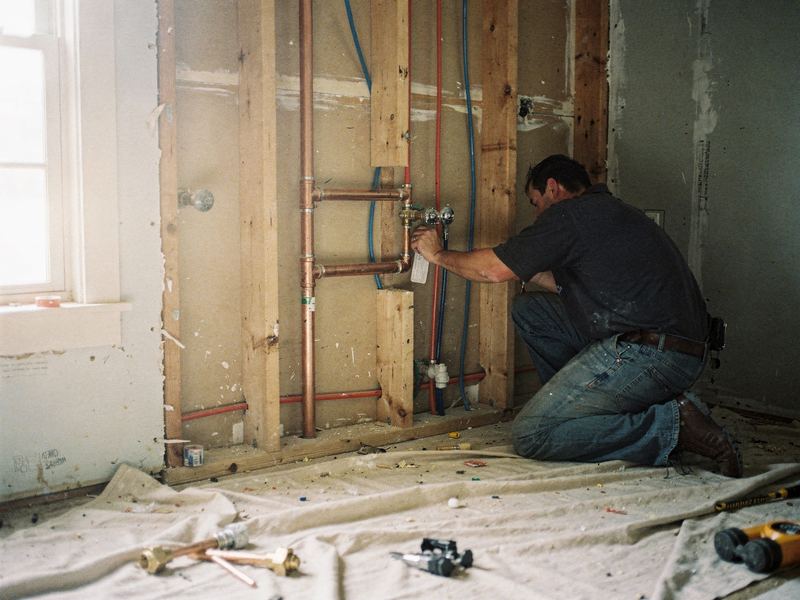
A plumbing shop moving into bathroom remodels
An example plan for a repair plumber adding bathroom remodels: defining the offer, showing real work, writing clear proposals and following up on estimates.
The situation
Imagine a plumbing shop with three technicians and an owner who still runs calls most days. They've served the same older suburbs for about fifteen years, fixing leaks, clearing drains and replacing water heaters. Customers trust them. And more and more, a customer standing in a dated bathroom asks, "Do you do the whole thing?"
The owner has done a handful of remodels: tub-to-shower conversions and a couple of full hall baths, working with a tile setter he trusts and an electrician friend. They went well and paid better per day than most service work. He'd like remodels to be a planned part of the calendar, not a favor squeezed between emergencies.
But nothing about the business says "remodels" yet. The website lists plumbing repairs. The Google profile has one category, Plumber. There are no project photos online. Estimates are written by hand on a clipboard and emailed days later, and nobody follows up. When a remodel customer goes quiet, he never finds out why.
What's getting in the way
- Known as the repair plumber. People searching for a bathroom remodel won't find him, and past customers don't know he does it.
- No proof on display. Remodel customers want to see finished bathrooms before they invite anyone in, and there's nothing to show them.
- An unclear offer. He has never decided which remodel projects he wants, which he'll turn down, and what scope his license and insurance cover.
- Slow, one-price estimates. A handwritten number with no options, sent days later, is easy to set aside.
- Long decisions with no follow-up. Remodel customers often take weeks to decide, and silence on his side reads as a lack of interest.
- Scheduling tension. A remodel ties up a tech for days, which can squeeze out the service calls that pay the bills.
The plan
Week 1: Define the offer and gather the proof
The owner decides what he sells. Zome gives him a short worksheet and helps him answer it:
- Which projects he wants: for example, tub-to-shower conversions, walk-in showers, vanity and fixture replacements and full hall bath remodels.
- Which he won't take: structural changes, moving walls, anything outside his crew's skills.
- Who does what: his crew on plumbing, the tile setter on tile, a licensed electrician for any wiring.
- What his license and insurance cover. Remodels that include tile, drywall or electrical work can fall under different licensing and permit rules in different states and towns, so he checks with his licensing board and insurance agent before advertising.
- How many remodels a month he can take without hurting service response times.
Meanwhile, he gathers proof. He goes through his phone for before-and-after photos of past jobs and asks those homeowners for permission to use them. From now on, every remodel gets photographed at the start, midway (when the new plumbing is in the open wall) and at the end.
Weeks 2 to 4: Build the remodel front door
Zome builds the pieces a remodel customer needs to say yes:
- A bathroom remodels section on the website. One main page plus a page for each project type, with real photos, what's included, how long the work usually takes, what happens to the household's water and bathroom access during the job, and how cleanup works.
- A remodel request form. It asks which bathroom, what they want changed, their timing and, optionally, a rough budget, plus photos of the current room. Those answers let the owner decide whether a site visit makes sense before he drives out.
- A separate lane in the lead inbox. Remodel requests are tagged apart from repair calls, with reminders so no request sits unanswered.
- Written proposals. After the site visit, the owner sends a clean proposal with two or three options, such as a fixture refresh, a tub-to-shower conversion and a full remodel. Each option spells out the scope, allowances for fixtures and tile, what isn't included and the payment schedule. The owner sets every price; Zome handles the layout and the plain-English descriptions.
- A polite follow-up sequence. A check-in two days after the proposal, a short note a week later answering common questions, and a reminder for the owner to call personally after that. Customers can reply at any point to pause it.
The Google Business Profile gets remodel services added, and a secondary category if one fits honestly, plus the new project photos.
Months 2 and 3: Tell the people who already trust you
The fastest remodel leads are often existing customers. Zome sends a short email to past customers who agreed to hear from the shop: the same plumbers they know now remodel bathrooms, with photos and a link to request a visit. Nothing pushy, just news.
The owner gives his techs a one-line script for service calls: "If you ever want to redo this bathroom, we do that now. I can leave you our remodel page." No pressure and no commission-driven pitches.
Zome builds local SEO pages for the searches that match his offer, like tub-to-shower conversions and walk-in showers in the towns he serves. As each remodel wraps up, it becomes a short project write-up with photos, published once the homeowner approves.
Each month, the owner reviews remodel requests, site visits, proposals sent, proposals won and how long decisions took. If proposals keep stalling at the same point, the options or the follow-up get adjusted. If remodels start slowing service response, he caps the number he takes on.
What Zome does and what you do
| Task | Zome | You |
|---|---|---|
| Define the offer | Provides the worksheet and example scopes | Decide projects, partners and monthly capacity |
| Licensing and insurance | Flags the questions to ask | Confirm with your licensing board and insurance agent |
| Remodel pages | Writes and builds them with your photos | Supply photos and approve every claim |
| Request form and inbox | Sets up the form, tags and reminders | Reply to requests and decide which need a visit |
| Proposals | Builds the template and option descriptions | Do the site visit and set every price |
| Estimate follow-up | Sends the agreed check-ins | Make the personal call when reminded |
| Past-customer email | Writes and sends to customers who opted in | Approve the message |
| Local SEO | Researches searches and writes project pages | Confirm which projects you actually want |
What to track
- Remodel requests. Tells you whether people now know you do this work, and which pages or messages brought them.
- Requests that became site visits. Shows whether the request form is filtering well or sending you on too many trips.
- Time from site visit to proposal. Faster proposals keep the project fresh in the customer's mind.
- Proposals won, by option. Shows which scope customers actually choose, which guides what you promote.
- Days to decision. Helps you plan the calendar and time the follow-ups.
- Job margin on completed remodels. Remodels only help if they're profitable once every hour and material is counted. Our guide to job costing shows how.
- Service response time. A check that remodels aren't hurting the repair work.
Common mistakes to avoid
- Taking work outside your license. Check what your license and insurance cover before you advertise a scope.
- Guessing remodel prices from repair rates. Remodels have different risks, subcontractor costs and allowances. Cost them properly.
- Using stock photos. Remodel customers want to see your work. A small set of real projects beats a gallery of borrowed images.
- Letting proposals go quiet. A single emailed number with no follow-up leaves the decision to whoever calls back.
- Forgetting the repair customers. Keep enough capacity for the service calls that built the business.
Your first step
Get the free AI report to see how your business shows up today for remodel searches, what your Google profile says you do and where your website could show your work better. Or book a demo to walk through a remodel plan for your shop and see which tools in it, like proposals, are available today.
The easiest way to grow your service business online.
Get your free AI report in about a minute, then see exactly what Zome would fix first.