Contents
Every job ends the same way: someone has to pay. How smoothly that happens affects your cash flow, your office workload and how the customer remembers the visit. There are more ways to take payments than ever, and they're built and priced differently. This guide explains the main options in plain terms, shows how pricing models compare with a worked example, and gives you a checklist to use before you sign anything.
Start with how your customers actually pay
Before you compare providers, write down how money comes in today. Most home service businesses have a mix of these:
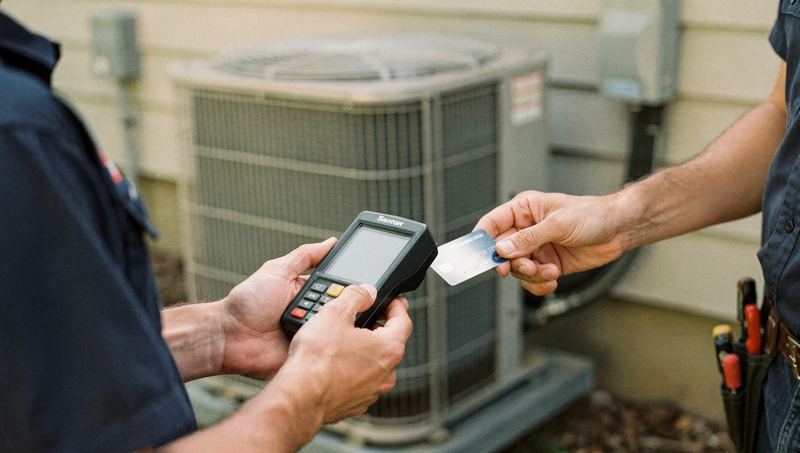
- Paid on site after a service call. A garage door spring, a clogged drain, a pest treatment, a failed breaker. The tech finishes and the customer pays before the truck leaves.
- Paid by invoice after the job. Common for larger electrical work, roofing and commercial accounts. The customer pays days or weeks later.
- Deposits and progress payments. Remodels, re-roofs, design-build landscaping and whole-house painting often take a deposit at signing and further payments at milestones.
- Recurring payments. Weekly cleaning, lawn maintenance, quarterly pest control and HVAC maintenance memberships work best with a card or bank account on file.
- Financed jobs. A new furnace, a full system replacement or a roof may be paid through a third-party lender.
Look at your last three months. Which bucket brings in the most money? Which one causes the most chasing? That's what your payment setup should serve first.
The main types of payment options
Flat-rate payment providers
These are the providers you can sign up with online and often start using within a day, with an inexpensive card reader or just a phone. Many work as payment facilitators: you're a sub-account under the provider's own merchant account, which is why approval is fast.
- Good for: new businesses, solo operators and smaller crews who want simple pricing and little setup.
- Watch for: a flat rate can cost more than other models as your volume grows. Because approval is light up front, these providers tend to monitor transactions closely afterward. An unusually large payment or a sudden jump in volume can trigger a review or a hold on your funds. If you do occasional big-ticket jobs, ask how they're handled before it happens.
Traditional merchant accounts
Here you get your own merchant account through a processor that works with an acquiring bank. There's an application and underwriting, so setup takes longer.
- Good for: established businesses with steady volume, larger average tickets, or both.
- Watch for: pricing is often interchange-plus, which is transparent if the markup is fair, or tiered, which is harder to read. Some come with contracts, early termination fees or equipment leases. Read the whole agreement.
Payments built into your field service or invoicing software
Many field service platforms offer their own payments or work with a partner processor. The tech closes the job, the invoice goes out, the customer pays and the payment is matched to the invoice without anyone retyping it.
- Good for: businesses that already run scheduling, dispatch and invoicing in one system.
- Watch for: some features may only work with the software's own processor. Pricing may be bundled, which makes it harder to compare. If you switch software later, moving stored cards and recurring payments can be tricky, so ask about that up front. See how to choose field service software.
Payments through your accounting software
Some accounting tools let you send invoices with a pay button. This suits businesses that bill mostly by invoice and whose bookkeeper works in the accounting system every day.
Bank transfers (ACH) and electronic checks
The customer pays directly from a bank account. ACH is often priced lower than cards, especially on large amounts, and some providers charge a flat or capped fee rather than a percentage. Check what yours charges.
- Good for: big invoices, commercial and property management customers, and recurring billing.
- Watch for: funds usually take longer to arrive than card payments, and a payment can be returned days later if the account doesn't have enough money in it. On a large job, know when the money is final before you treat the invoice as closed.
Checks and cash
Still common, especially with some older customers. The costs are less visible: trips to the bank, bounced checks, cash sitting in trucks and time spent logging it all. Mobile check deposit through your bank helps.
Peer-to-peer payment apps
Many owners start out taking payments through the same app they use to split a dinner bill. Be careful here. Many of these apps offer separate business accounts, and personal accounts often have terms that restrict business use. Business payments may also be reported for tax purposes, and the reporting rules have changed in recent years. Read the app's current terms and ask your accountant how it applies to you. For more on this category, see how to choose a payment app for your service business.
Consumer financing
For big installs, a third-party lender can offer the customer monthly payments. The lender decides who's approved, and the business usually pays a fee on each financed job. Don't promise approval or specific terms, and follow the lender's rules on how you describe the offer. Financing can make a replacement easier to say yes to, but its fee is a cost of the sale and belongs in your pricing.
How the pricing models compare
Processing fees get their own article: credit card processing fees, explained. Here's the short version of the four common models:
- Flat-rate: one percentage per transaction, sometimes plus a small fixed fee. There's often a different rate for in-person payments and for keyed-in or online payments.
- Interchange-plus: you pay the card system's wholesale cost (interchange and network fees) plus a set markup from the processor.
- Tiered: transactions are sorted into buckets, often called qualified, mid-qualified and non-qualified, each with its own rate.
- Subscription or membership: a monthly fee plus the wholesale cost plus a small fee per transaction.
A worked example
These numbers are made up to show how the math works. They aren't any provider's actual rates, and real wholesale costs vary by card type, how the card is taken and other factors.
Imagine a plumbing company comparing two quotes:
- Quote A: a hypothetical flat 3% per card payment.
- Quote B: interchange-plus, where the wholesale cost averages a hypothetical 2% for this business, plus a markup of 0.3% and 10 cents per transaction.
| Job | Quote A (flat 3%) | Quote B (2% + 0.3% + $0.10) |
|---|---|---|
| $450 drain repair | $13.50 | $10.45 |
| $9,000 water heater and repipe | $270.00 | $207.10 |
On one small job the difference is a few dollars. On big tickets and across a year, it adds up. But Quote B might come with a monthly fee, a contract or other charges that change the picture. Always compare the total monthly cost using your real mix of jobs, not the headline rate.
And on that $9,000 job, an ACH payment with a small flat fee could cost less than either card option. Offering ACH on large invoices, alongside cards, gives the customer a choice and can lower your costs.
What to check before you sign
Tell every provider your average ticket and your largest likely ticket before you sign. It's the simplest way to avoid a surprise hold on a big payment.
Which setup fits which business
| Your situation | Often a good fit | Watch out for |
|---|---|---|
| Solo handyman or new business, small on-site jobs | A flat-rate provider with a phone app or small reader | Higher cost as volume grows; holds on unusually large jobs |
| Multi-truck service company taking many payments a day | Payments inside your field service software, or an interchange-plus merchant account | Lock-in to one software; bundled pricing that's hard to compare |
| Installs and remodels with large invoices | Cards plus ACH for big invoices, and a financing partner | ACH returns; financing fees you need to price in |
| Recurring services: cleaning, lawn care, pest control | A card or bank account on file with automatic billing | Failed payments, expired cards and clear cancellation terms |
| Commercial and property management work | ACH and invoices, sometimes through the client's vendor portal | Long payment terms and each client's paperwork |
Getting paid faster, whatever you choose
The payment tool matters less than the habits around it.
- Put payment terms on every estimate. The deposit amount, when the balance is due and how the customer can pay.
- Collect before the truck leaves on service calls. Give techs a simple line: "Everything's tested and working. I'll send the invoice to your phone now. You can tap to pay there, or I can take a card right here."
- Invoice from the driveway. For jobs billed later, send the invoice the same day, with a pay link.
- Take deposits for materials. Especially for special-order items like garage doors, custom fixtures or equipment.
- Automate reminders. A friendly reminder a few days after the due date and another a week later, before anyone has to pick up the phone.
- Get written authorization for cards on file. Customers should know what will be charged and when.
For the bookkeeping side, see bookkeeping basics for contractors.
A simple way to decide
- List your last three months of payments by type: on-site card, invoice, ACH, check, recurring and financed.
- Note your average ticket and your largest.
- Get written quotes from two or three providers, giving each the same numbers.
- Work out the total monthly cost of each, including every fee.
- Weigh the things that aren't price: payout speed, integrations, support and contract terms.
- Test with a handful of jobs before you move everyone over.
Providers change their pricing and features often, so confirm current terms directly with each one before you decide.
If you'd like payments to sit in the same place as your bookings and customer follow-up, see how Zome handles payments. And if you want a quick read on how customers find and reach you before they ever pay, start with the free AI report.