Contents
The app store is full of tools promising to run your business from your phone. Most contractors end up with too many logins, the same customer typed into three places, and calls still slipping through. This guide walks through the jobs your apps need to do, in the order a job moves through your business, and what to look for in each. We don't rank brands here, because features and prices change often. Use this to build a shortlist, then check each vendor's current terms and run a real trial.
Start with the job, not the app
Before you download anything, map how a job moves through your business:
- A customer calls, texts, fills in a form or messages you on Google.
- Someone replies and gets the details.
- The job goes on the schedule and gets assigned.
- The tech drives there, does the work, takes photos and notes.
- The customer gets a quote or invoice and pays.
- You follow up with a review request, a thank-you or a reminder for next season.
- The money lands in your books.
Each step is a job an app might do. The goal is simple: every step covered once, by as few tools as possible, with customer details entered only once.
The core stack: seven jobs every contractor needs covered
1. Answering and replying
This is the step where jobs slip away most quietly. A homeowner with a leaking water heater calls the next company if nobody picks up.
What you need:
- A business number that isn't your personal cell, so you can hand it to an office person later without changing your truck wrap.
- Texting from that business number. Many customers would rather text, and you can reply between jobs.
- Missed-call text back. An automatic text when you can't answer keeps the caller from moving on.
- A shared view, so whoever answers the phone and whoever is in the field see the same conversation.
A missed-call text can be as simple as this:
"Hi, this is [Name] at [Business]. Sorry we missed your call, we're on a job right now. What can we help with? Reply here and we'll get back to you shortly."
If you record calls, check the consent rules in your state first, since some states require everyone on the call to agree. If you send marketing texts, you need the customer's permission. Rules change, so check current requirements or ask your attorney.
2. Scheduling and dispatch
A solo operator can run on a shared calendar for a while. Once you have two or more techs, a proper schedule board saves hours a week.
Look for:
- A schedule you can see and change from your phone
- Job details, customer history, gate codes and notes on the tech's phone
- Status updates and "on my way" texts to customers
- Recurring jobs for cleaning, lawn care, pest control and maintenance visits
- A map or route view, which matters a lot for landscapers and cleaning crews running daily routes
3. Estimates, quotes and invoices
This is where money is made or left behind.
Look for:
- Saved line items or a price book, so every tech quotes the same job the same way
- Options on one quote, for example repair versus replace, or three levels of system
- Photos on quotes, which matter a lot for roofers showing damage and HVAC techs showing a failing part
- E-signature and deposits for bigger jobs
- One click from estimate to job to invoice, with no retyping
Trade notes: roofers often want measurement tools and photo-heavy proposals. HVAC companies selling replacements need clear option quotes. Cleaning companies and landscapers need recurring invoices that go out on their own.
4. Payments
Getting paid on the spot is one of the simplest ways to improve cash flow.
Look for:
- Tap or card reader payments on site
- Payment links by text for customers who aren't home
- Bank transfer options for large jobs
- Card on file for recurring work, with the customer's permission
- A clear fee structure, payout timing you understand, and a sync with your accounting
Before you add a card surcharge, check your state's rules and your processor's terms. See how to choose a payment app for your service business and credit card processing fees, explained.
5. Bookkeeping
Pick accounting software your accountant can log into and is happy to work with. Ask them before you choose.
Look for:
- Bank and card feeds, so transactions come in on their own
- Receipt capture from your phone
- A way to tag income and costs by job or job type, so you can see your margins
- Mileage tracking, if you deduct vehicle use. Ask your accountant which records you need.
See bookkeeping basics for contractors.
6. Photos and job records
Your phone camera is enough, as long as photos end up attached to the right job and not buried among family pictures.
Every trade has its own reasons to take photos:
- Roofers: damage documentation for insurance claims and proof of what was under the old shingles
- Plumbers: camera inspection footage and before-and-after shots of repairs
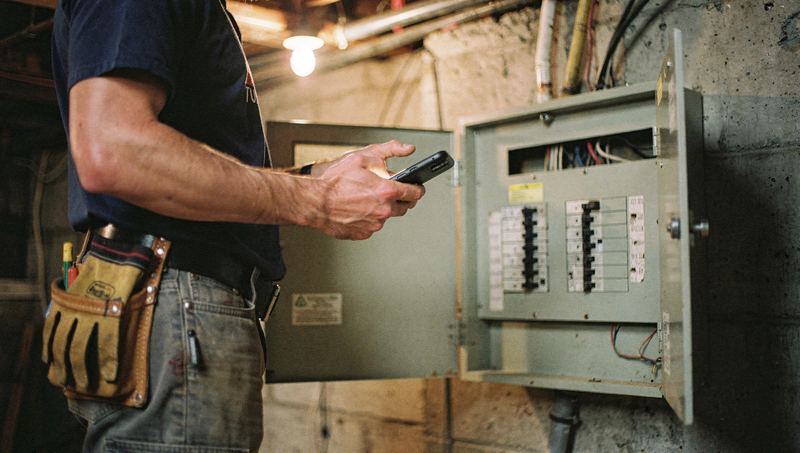
- Electricians: photos of panels and wiring before walls and covers close up
- Cleaning companies: condition photos at move-out cleans, which help if there's a dispute later
- Landscapers: property notes like gate codes, the dog, the sprinkler heads to avoid
7. Reviews and your Google Business Profile
Your Google Business Profile is often the first thing a new customer sees. Google's own tools let you update hours, add photos, post updates and reply to reviews from your phone.
You also need a simple way to ask every customer for a review after the job, usually by text with a direct link. Ask every customer, not just the ones you think are happy. See ask for reviews without filtering the truth and the Google Business Profile tips guide.
Nice to have, once the core is working
- Time tracking for crews, especially if you pay hourly. If it uses GPS, tell your team and check local rules.
- Team chat so photos and questions don't get lost in personal text threads.
- Cloud file storage for manuals, permits, warranties and inspection reports.
- Your supplier's app, if they have one, for checking stock, prices and order history.
- Trade tools: refrigerant charts and load calculation tools for HVAC, code references and calculators for electricians, pipe sizing tools for plumbers, measuring and pitch tools for roofers, area and material calculators for landscapers, and room-by-room checklists for cleaners.
- Email and text reminders for seasonal work like tune-ups, spring cleanups and gutter cleaning.
What to skip, for now
- Apps that do something your main software already does. Two schedules means one is always wrong.
- Anything that makes techs type the same thing twice. They'll stop doing it.
- Big setups built for companies twice your size. You'll pay for features nobody uses.
- Free trials you'll forget. Put a reminder in your calendar two days before each trial ends.
How to choose between apps in the same category
Use these questions on every shortlist:
For more on how pricing models work, see how field service software is priced. If you're weighing one big platform against separate tools, read all-in-one platform or best-of-breed tools?
Starter stacks by business size
| Stage | Must-haves | Add next |
|---|---|---|
| Solo operator | Business number with texting, missed-call text back, simple scheduling, quotes and invoices with payments, accounting software, Google Business Profile | Review requests, a basic price list |
| Two to five trucks | Field service software for scheduling, dispatch, quotes and invoices, a shared inbox for calls and texts, payments that sync to accounting, review requests | Price book, maintenance plan tracking, seasonal reminders |
| Six or more trucks | Everything above, plus call tracking and reporting on where jobs come from, time tracking and a clear process for the office team | Membership management, marketing automation, fleet tools |
A two-truck plumbing shop and a two-crew cleaning company need different details, but both need the same core: answer fast, schedule clearly, quote consistently, get paid on the spot and ask for the review.
Run a yearly app audit
Once a year, list every app and subscription you pay for in a simple table:
| App | What it does | Monthly cost | Who uses it | Does something else we pay for already do this? | Keep or cut |
|---|---|---|---|---|---|
| [Name] | [Job it does] | $[amount] | [People] | [Yes or no] | [Decision] |
Check your bank and card statements for subscriptions you forgot about. Cut anything nobody uses, and combine tools where one can do the job of two. If you decide to switch a major tool, plan it for a slower month and read how to switch software without losing a week.
Where to start
If you only fix one thing this month, fix the first step: making sure every call, text and web request gets a fast reply. Everything else in your stack depends on the job coming in the door. Zome's lead inbox brings calls, texts, website requests and Google messages into one place, so nothing sits unanswered while you're on a job.