















The plumber's SEO guide
Local SEO for plumbing companies: service pages that match real searches, location pages, Google profile categories, reviews, emergency calls, photos and links.
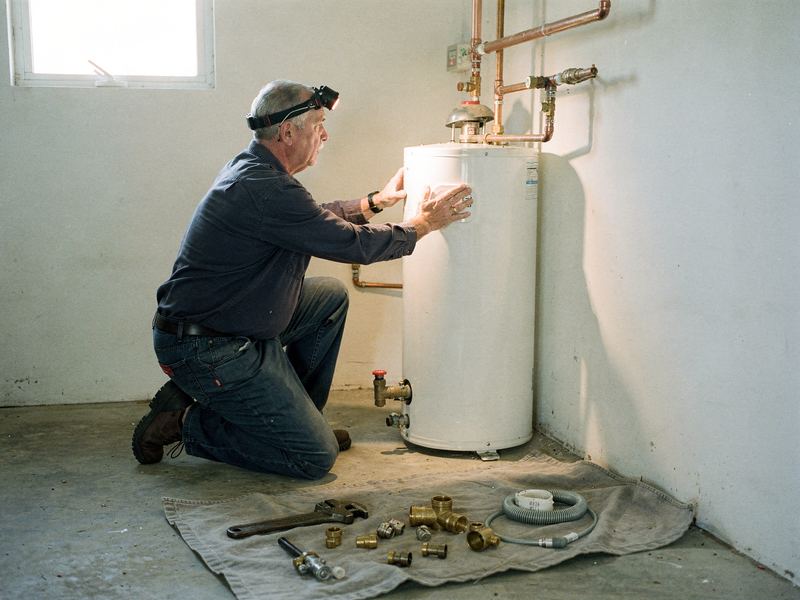
People don't browse for a plumber. They search when something is leaking, backing up or not heating, and they pick from the handful of businesses they see first. Local SEO is the work that puts your business in that short list. This guide covers it for plumbing specifically: how plumbing searches work, how to set up your Google profile, which pages to build, how to win emergency calls, and how to earn the reviews, photos and links that back it all up. There are no shortcuts here, just steady work that adds up.
How people search for a plumber
Plumbing searches fall into two broad kinds, and they need different things from you.
Emergency searches happen when water is going where it shouldn't. Think "burst pipe", "emergency plumber", "water heater leaking", "toilet overflowing" or "plumber open now". The customer is stressed, often on a phone, and wants someone who answers and can come soon. They rarely read much. They look at the rating, the hours and the call button.
Planned searches happen when there's time to think. Think "water heater replacement", "tankless water heater install", "repipe house", "sewer line replacement" or "bathroom plumbing remodel". These customers compare. They read service pages, look at photos, check reviews and often ask more than one company for a price.
Where the results appear
For most plumbing searches, Google shows three kinds of results:
- Ads at the top, including Local Services Ads for plumbers in many areas. These are paid; check the current terms and costs before you sign up.
- The map results, a short list of Google Business Profiles with a map. Each one shows a rating, hours and a call button right in the results, which suits a customer in a hurry.
- Regular results below, which are websites: yours, competitors', and directories.
SEO covers the second and third. Your Google Business Profile drives the map results. Your website drives the regular results and also supports the map results.
What Google says it looks at
Google says local results are based mainly on three things:
- Relevance: how well your profile and website match what someone searched for
- Distance: how far you are from the searcher or the place they named
- Prominence: how well known and well regarded your business is, which includes reviews, links and mentions across the web
You can't change distance much, apart from setting your service area correctly. You can do a lot about relevance and prominence, and that's what the rest of this guide is about. For a deeper look at the map results, see our Google Maps ranking guide.
Your Google Business Profile, set up for plumbing
Your profile is often the first thing a customer sees, before your website. Treat it as your most important page.
Categories
Categories tell Google what kind of business you are, which feeds straight into relevance.
- Primary category: for most plumbing companies, "Plumber". Pick the one category that best describes your main business.
- Additional categories: add others only for work you actually do and want to be found for. Search the category list for options that match your services, such as drainage, water heater, septic, water softening or bathroom remodeling categories, and check the exact names available in your region in the profile editor.
- Don't overdo it. A long list of loosely related categories can blur what you are. Pick the ones that match real, regular work.
Look at which categories the businesses in the top three of the map results use. You can't copy their success, but it shows you how Google sees plumbing in your market.
Business details
- Name: use your real business name, exactly as it appears on your signs, trucks and paperwork. Adding keywords or city names that aren't part of your real name breaks Google's guidelines and can get your profile suspended.
- Address and service area: if customers don't come to your address, which is true for most plumbers, hide the address and set a service area instead. List the cities or areas you actually serve.
- Phone: a local number that gets answered. More on that under emergency searches.
- Hours: your real hours. If you truly offer 24-hour service, set your hours to match. If you don't, don't claim it.
- Website: link to your homepage. Add a tracking tag (a UTM code) to the link so you can see profile visits in your website analytics.
- Appointment link: if you have online booking, add it.
Services and description
List every service you offer in the services section, with a short description for each: drain cleaning, water heater repair, water heater replacement, tankless installation, leak detection, sewer line repair, repiping, fixture repair, garbage disposals, sump pumps, gas lines and anything else you do. Use the words customers use.
Write a plain description of who you are, what you do, where you work and what makes you different, such as upfront pricing, licensed techs or same-day service where you really offer it. Our guide to writing your Google Business Profile description has a template.
Keep it active
Post updates with recent job photos, seasonal tips (frozen pipe prevention in winter, sump pump checks in spring) and any real offers. Update holiday hours before every holiday. Check for suggested edits from the public, which can change your details if you don't review them. Our Google Business Profile checklist covers every setting.
Service pages that match what people search
A service page is a page on your website about one type of job. A single "Services" page listing everything is not enough, because Google matches searches to pages. If someone searches "water heater replacement", a page about exactly that has a much better chance of showing up than a list with one line about water heaters.
The pages most plumbers need
Start with the work you do most and the work you want more of:
- Drain cleaning: kitchen, bathroom and main line clogs; cabling; hydro jetting; camera inspections
- Water heaters: repair and replacement, tank and tankless, gas and electric. Consider separate pages for repair, replacement and tankless if you do a lot of each
- Repiping: whole-home and partial, the materials you use, and how you handle walls and patching
- Emergency plumbing: your after-hours and urgent service
- Sewer lines: inspection, repair, replacement and trenchless options if you offer them
- Leak detection: including slab leaks if you handle them
- Fixtures: toilets, faucets, sinks, showers and garbage disposals
- Gas lines: if you're licensed for it in your area
- Sump pumps, water softeners and filtration, backflow testing: if they're part of your work
What every service page needs
Use the same structure for each page so your site is consistent and nothing is forgotten:
- A clear headline with the service and your main city, such as "Drain cleaning in Springfield".
- An opening paragraph in the customer's words: the problem, what you do about it, and how soon you can typically come.
- Signs you need this service. For drains: slow drains, gurgling, water backing up in a tub when the toilet flushes, a sewage smell, clogs that keep coming back.
- How the job works, step by step, from diagnosis to cleanup.
- Your options and how pricing works. You don't have to list prices, but explain your diagnostic fee and how you present options before starting work.
- What's included and your warranty.
- Where you do this work, naming the towns.
- Real photos from your own jobs.
- Frequently asked questions that customers actually ask your team.
- Real reviews that mention this service, used with the reviewer's permission where needed.
- A clear next step: a tap-to-call button and a short form or booking link.
Our service page checklist goes through each of these in more detail.
Notes on the big four
Drain cleaning. Explain the difference between cabling and hydro jetting in plain language, and when a camera inspection makes sense. Customers with recurring clogs want to know why it keeps happening.
Water heaters. This page often attracts people in two very different moods: "no hot water, help" and "thinking about tankless". Serve both. Put repair and same-day replacement at the top, then cover choosing a new unit: tank or tankless, gas or electric, sizing for the household, and what's involved, such as venting, expansion tanks and permits where local code requires them.
Repiping. Repiping customers are anxious about cost and mess. Explain the signs (old galvanized pipe, repeated pinhole leaks, low pressure, discolored water), the materials you use and why, how long a typical job takes in your experience, how you protect the home, and how drywall patching is handled. Photos of clean, organized work help a lot here.
Emergency plumbing. This page is covered in its own chapter below.
Location pages without the spam
If you serve several towns, a page for each can help you show up in searches that name those towns. But there's a line you must not cross.
What Google doesn't want
Google's spam policies warn against doorway pages: lots of near-identical pages created only to rank for different place names, with the town name swapped and nothing else changed. They are easy to make and can hurt the whole site.
What makes a location page worth having
A good location page is useful to someone who lives in that town. Include things only you, as a plumber who works there, would know:
- The kinds of homes you see there and the plumbing problems that come with them, such as older homes with original galvanized lines, or newer subdivisions with a particular water heater setup
- Local water conditions you deal with, such as hard water if that's true in the area
- Jobs you've done there, with photos and a short description, without revealing the customer's address
- How quickly you can typically reach that town and whether after-hours service covers it
- Reviews from customers in that town, where they've said where they live
- Anything practical about local permits or inspections that affects the job
How many to build
Start with the towns where you already do the most work, or where you want more work and can reach quickly. Three strong pages beat thirty thin ones. Link them from an "Areas we serve" page and from your homepage. If you can't write something genuinely different for a town, leave it on the areas-served list instead of giving it its own page.
Winning emergency searches
Emergency work can be some of the most valuable in plumbing, and a customer with water on the floor wants someone who answers and can come soon. Winning these calls is partly SEO and partly operations.
Be honest about when you're available
Your Google hours, your website and your phone greeting must all agree. If you offer 24/7 service, say so everywhere and set your profile hours to match. If you offer after-hours service only for certain problems, or only until a certain time, say that clearly. Claiming 24/7 and then not answering is worse than not claiming it, because the customer will say so in a review.
Answer the phone
Ranking for "emergency plumber" is wasted if the call goes to voicemail. Options include an on-call rotation, an answering service that can reach the on-call tech, or a text-back system that replies to missed calls straight away. Test your own after-hours line once a month by calling it yourself.
Build an emergency page that helps right away
A customer on your emergency page is standing in water. Put these at the top:
- A large tap-to-call button with your number
- Your real availability: "We answer 24 hours a day, 7 days a week" or "After-hours service until 10 p.m."
- What to do right now while they wait: how to find and close the main shutoff valve, how to turn off the water heater, when to switch off power near water, and when to call the gas company or emergency services instead
- What you'll do when you arrive
- How after-hours pricing works, such as an after-hours diagnostic fee, so there are no surprises
Below that, cover the common emergencies you handle: burst pipes, major leaks, sewer backups, overflowing toilets, water heater leaks, frozen pipes and gas smells (with a clear instruction to leave the house and call the gas company or 911 first).
Make the mobile experience fast
Emergency searches happen on phones. Your site should load quickly on a phone, and the phone number should be a tap-to-call link in the header of every page, not plain text. Test your own site on your phone with mobile data, not your office Wi-Fi.
Reviews that mention emergencies
When you've helped someone in an emergency, they're often grateful and happy to say so. Ask for the review after the problem is fixed. A review that says you came quickly at night tells the next stressed customer exactly what they need to know. Never write it for them.
Reviews for plumbers
Reviews affect both how you rank and whether people call. For plumbing, where customers let a stranger into their home, often under stress, reviews carry a lot of weight.
When and how to ask
- Ask at the right moment: when the problem is solved and the customer has seen it working. Hot water running again, the drain flowing, the leak dry.
- Ask in person, then follow up by text with your direct review link, sent the same day. Short and friendly: "Thanks for having us out today. If you have a minute, a Google review helps other people in Springfield find us: [link]."
- Make it part of every job, not a campaign you run once a year. A steady flow of recent reviews looks better than a burst followed by silence.
- Ask everyone, not just the customers you think are happy.
What not to do
- Don't offer discounts, gifts or entries into a draw in exchange for reviews. Google's policies don't allow incentivized reviews.
- Don't "gate" reviews by asking only happy customers or sending unhappy ones somewhere else. Google's policies don't allow it either.
- Don't write reviews yourself, or have staff, friends or family post them. US consumer protection rules also target fake reviews and the suppression of negative ones.
- Don't tell customers what to write. It's fine to say it helps when people mention the job you did.
Our guide to asking for reviews the fair way has more scripts.
Responding to reviews
Reply to every review, good or bad. For positive reviews, thank the customer by first name and mention the job if they did. For negative reviews:
- Reply calmly, within a day or two
- Don't argue or share private details about the job
- Acknowledge the problem, say what you'll do, and offer a way to talk directly: "I'm sorry the repair didn't hold. I'd like to make it right. Please call me directly at [number]."
- Then actually fix it
A calm, fair reply to a bad review can reassure the next reader more than another five-star review.
Photos that do real work
Photos help your Google profile and your website look real and active. A customer comparing plumbers can see that you exist, that your trucks are clean and your work is tidy.
What to photograph
- Your team at work, with their permission. Techs in uniform, working carefully.
- Your vans, clean and clearly branded.
- Water heater installs: the finished install with clean pipework and proper venting and connections.
- Repipes: the new manifold or neat runs of pipe before the walls are closed.
- Drain and sewer work: a still from a camera inspection showing a root intrusion or a cleared line.
- Before and after: a corroded valve and its replacement, a leaking supply line and the new one.
- Clean job sites: drop cloths down, shoe covers on, work area tidy at the end.
How to take and use them
- Shoot in good light, hold the phone steady and get close enough to see the work.
- Don't show a customer's address, face, family photos or personal items without clear permission.
- Add new photos to your Google profile regularly, such as a few a month, rather than all at once.
- On your website, use your own photos rather than stock images, give image files descriptive names and add alt text that says what the photo shows, such as "Tankless water heater installed in a garage".
- Resize large photos before uploading them to your site so pages load quickly on phones.
Links and citations
Links from other websites to yours, and mentions of your business across the web, are part of what Google calls prominence. For a local plumbing company, the most useful ones are local and real.
Citations: consistent details everywhere
A citation is any listing of your business name, address and phone number: directories, map apps, industry sites. Make sure the details match your Google profile exactly on the ones that matter:
- Apple Business Connect (for Apple Maps) and Bing Places
- Yelp, the Better Business Bureau, Nextdoor and the lead or directory sites you use
- Your local chamber of commerce and any trade associations you belong to
- Your social media profiles
If you've moved or changed phone numbers, hunt down the old details and update them. Mismatched details can confuse customers and search engines.
Links worth earning
- Suppliers and manufacturers. If you're certified or registered with a manufacturer, ask whether they have a "find an installer" listing that links to you. Some supply houses list local contractors too.
- Local organizations. Your chamber of commerce, business associations, and any trade association you belong to.
- Sponsorships. Local sports teams, school events and charity fundraisers often thank sponsors with a link. Choose ones you'd support anyway.
- Partners. Home builders, remodelers, realtors, home inspectors and property managers you work with may list recommended trades on their sites.
- Helpful content. A clear guide such as "How to find and shut off your main water valve" or "What to do when your pipes freeze" is the kind of page local news sites, neighborhood groups and property managers link to.
- Local news. Community work, a new apprenticeship program or practical advice during a cold snap can earn a mention and a link.
What to avoid
Don't buy links, join link schemes or pay for mass directory submissions. Google's spam policies cover link schemes, and a handful of real local links is worth more than hundreds of junk ones.
Technical basics and tracking
A website that Google can read easily and customers can use on a phone makes everything else work better.
Basics to check on every page
- Page title: the service and the city, then your business name. For example, "Water heater replacement in Springfield | Your Business Name".
- Search description: one or two sentences, roughly 70 to 170 characters, saying what you do, where and why to call.
- One main headline (H1) that says what the page is about.
- Local business schema on your homepage, using the Plumber type, with your name, address, phone and hours, matching your Google profile.
- Secure (https), with the plain http address forwarding to it.
- Fast on phones. Google's published "good" target for how quickly the main content appears (Largest Contentful Paint) is 2.5 seconds.
- Tap-to-call in the header of every page.
- A quote form or booking link near the top of the homepage.
- A sitemap, submitted in Google Search Console.
Tracking what's working
- Google Search Console is free and shows which searches your website appears for, how often people click and which pages they land on.
- Your Google Business Profile performance view shows calls, website clicks, direction requests and some of the searches that showed your profile.
- The UTM tag on your profile's website link separates profile visits from other traffic in your analytics.
- Ask every new customer how they found you, and write it down in your job software.
- Call tracking can show which calls came from which source. If you use tracking numbers, set them up so your main business number stays consistent across your listings, and ask your provider how they handle Google profiles.
Look at these once a month. Watch for which service pages bring in visits, which searches you're starting to appear for, and whether calls from your profile are rising.
A first 60 days
If you're starting from scratch, here's a sensible order:
- Week 1: fix your Google profile: categories, services, service area, hours, description, website link and photos.
- Week 2: fix the homepage basics: title, description, headline, tap-to-call, quote form, schema and speed.
- Weeks 3 to 4: build or rewrite your emergency page and your two biggest service pages, usually drain cleaning and water heaters.
- Weeks 5 to 6: add repiping and your next most important service pages. Start the review routine on every job.
- Weeks 7 to 8: clean up your citations, build your first one or two location pages, and reach out for two or three local links.
Then keep going: a new page or a meaningful update every month, photos every week or two, and review requests on every job.
See where you stand today
For a quick picture of your current position, the free Zome AI report checks your homepage basics, your Google profile, your reviews compared with nearby plumbers and where you rank for "plumber" in your city. For more plumbing-specific ideas, see our plumbing trade page and our post on local SEO for plumbers.
More guides
All resources Prompt library100 AI prompts for home service businessesCopy a prompt, fill in the brackets with your own details and get a useful first draft in seconds. 100 prompts grouped by the jobs owners actually do every week.
 GuideBusiness plan template for home service companiesTen sections, each with what to write, a checklist and example wording you can adapt. Built for trades owners who want a plan they'll actually use.
 Guide37 Google Business Profile tips for home service businessesA practical list of 37 things to set up, fix and keep doing on your Google Business Profile, written for service businesses that go to the customer.
The easiest way to grow your service business online.
Get your free AI report in about a minute, then see exactly what Zome would fix first.